 Trap + Step & Repeat Illustrator® Plugin
Production-Ready Trapping
In Seconds
Automatically trap artwork with presets and configurable settings, then step and repeat using your die database with customizable bearer marks — all inside Adobe® Illustrator®.
—/month · 1 seat · 30-day free trial · No credit card required
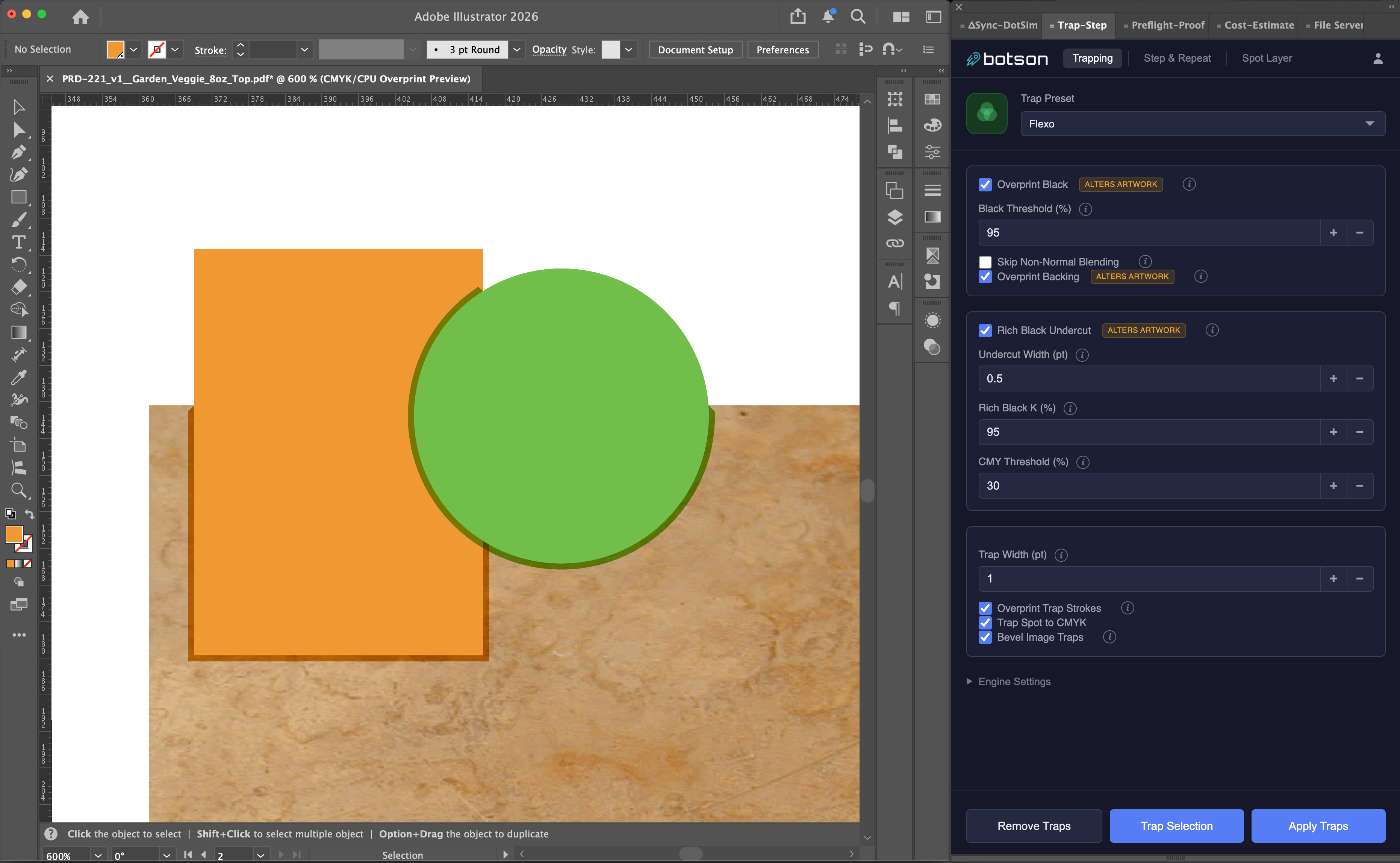
Trap Spot Colors to CMYK
Apply trapping automatically with comprehensive settings per preset. Control trap width, color reduction, image trapping, object-level overrides, and more.
- ✓Bevel trap edges for optimal trapping
- ✓Color reduction settings
- ✓Image to vector and vector to vector trapping
- ✓Rich Black undercut ensures sharp print
Preset Management
Save and reuse trap presets across jobs and team members for consistent, repeatable results. Share presets through your cloud-connected account.
- ✓Save custom presets
- ✓Share presets across teams
- ✓Preview trap results before committing
- ✓Undo and adjust without starting over
Simple Pricing
Professional trapping and layout tools.
—/mo
1 seat, billed monthly
- ✓Auto trapping with optimized bevels
- ✓Saveable trap presets
- ✓Step & repeat with die database
- ✓Customizable bearer & registration marks
- ✓Spot layer detection & analysis
- ✓30-day free trial — no credit card required